













The best way to secure your home in Pretoria is to combine strong physical barriers, a properly configured alarm, visible lighting, well-positioned cameras and a clear emergency response plan. No single device can protect a property on its own.
Home security can sometimes feel overwhelming. There are alarms, cameras, electric fences, beams, panic buttons, mobile apps and armed response services to consider—and every provider seems to recommend something different.
For most homeowners, however, the starting point is much simpler: understand how people move around your property and identify where someone could approach, enter or remain unnoticed.
Think about an ordinary day in your home. Children may leave early for school. A domestic worker or gardener may arrive later. Deliveries come through the gate. Someone may work from home while the rest of the family is away. In the evening, pets move around the garden and family members enter through different doors.
Your security system needs to support these real routines. When a system becomes too complicated or creates constant false alarms, people eventually stop using it properly.
This practical checklist will help homeowners in Pretoria, Pretoria East, Centurion and the wider Gauteng area identify common weak points and create a more reliable, manageable home security plan.
Why a Layered Home Security Plan Matters
A common mistake is assuming that one visible security feature is enough.
A high wall may make a property look secure, but it can also hide activity from neighbours. A camera may record an incident, but it cannot physically stop someone from entering. An alarm may detect movement, but its value depends on whether the signal is received, understood and acted on.
Each security measure has a different role:
- Physical barriers make entry more difficult.
- Lighting increases visibility around vulnerable areas.
- Beams and alarms detect movement or forced entry.
- Cameras help verify what is happening.
- Panic buttons allow residents to request help.
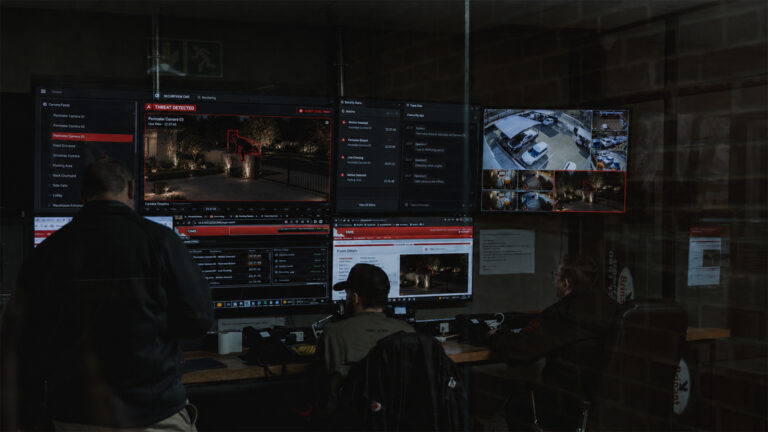
- Monitoring teams receive and assess alerts.
- Armed response provides an organised physical response.
The goal is not to turn your home into a fortress. It is to create enough visible deterrence, early warning and response capability to make the property more difficult to target.
Homeowners who are unsure about the difference between the detection and response layers can read Armed Response vs Alarm Monitoring for a practical explanation of how the two services work together.
Home Security Checklist at a Glance
- Inspect the property during the day and after dark.
- Check all gates, locks, doors and windows.
- Protect side passages and quieter access routes.
- Configure alarm zones around your household routine.
- Test camera views rather than only checking camera positions.
- Improve lighting around entrances and blind spots.
- Place panic buttons where residents can reach them.
- Create clear rules for deliveries and gate access.
- Test backup power and alarm batteries.
- Make sure every family member knows what to do.
- Review the complete security setup every three months.
Practical Steps Homeowners Can Take
Step 1
Walk Around Your Property as Though You Were a Visitor
Start outside your home and look at it with fresh eyes. Walk from the pavement to the front entrance. Then inspect the side passages, driveway, garage, back garden and any service entrances.
Questions to Ask During Your Walk-Around
- Can someone reach the house without being clearly seen?
- Are there dark areas along the wall or driveway?
- Can trees, bins or garden structures be used to climb over the boundary?
- Are side gates locked and in good condition?
- Can someone hide near the garage or front door?
- Are windows accessible from neighbouring walls or roofs?
- Can you identify visitors before opening the gate?
Repeat the walk after dark. Weak points that are difficult to notice during the day often become far more obvious at night.
For larger properties in Pretoria East, pay particular attention to long driveways, garden-facing windows and sections of the boundary that cannot be seen from inside the house.
Step 2
Strengthen the Perimeter
Your perimeter is the first opportunity to discourage unauthorised access. Boundary walls, fencing, electric fencing, gates, outdoor beams and lighting should work together.
The objective is to make it difficult for someone to approach the home without being delayed, detected or clearly seen.
Check That:
- Vehicle and pedestrian gates close and lock correctly.
- Gate motors cannot be easily accessed from outside.
- Electric fencing is clear of plants and debris.
- Outdoor beams cover likely approach routes.
- Walls and fences are not damaged.
- Trees and garden structures do not create climbing points.
- Street-facing areas remain sufficiently visible.
Electric fencing should be inspected regularly. Plants touching the fence, damaged strands and poorly maintained energisers can create repeated faults or reduce the effectiveness of the system.
A neat garden can also support security. Trimming large shrubs near entrances and windows removes potential hiding places without making the property feel bare or unwelcoming.
Step 3
Secure Doors, Windows and Garages
Intruders do not always choose the most obvious entrance. Side doors, garage doors, sliding doors and windows hidden from the street may offer quieter access.
Check external doors for reliable locks, secure frames and properly fitted hinges. Sliding doors should have an additional locking mechanism that prevents them from being lifted or forced off their tracks.
Pay Particular Attention to Windows Near:
- Side passages
- Flat roofs
- Carports
- Boundary walls
- Trees
- Outdoor furniture
- Air-conditioning units
Garages deserve special attention because they often provide direct access to the house. Keep the internal door between the garage and the home locked, even when the garage door is closed.
Avoid leaving gate remotes, house keys or personal documents inside vehicles. If a vehicle is accessed, those items can make it easier to enter the home or return later.
Step 4
Configure Your Alarm Around Your Daily Routine
A home alarm should fit the way your household lives.
Many families stop using certain zones because pets trigger them, beams generate repeated false alarms or residents cannot move around the house at night without activating the system.
Instead of bypassing large parts of the alarm, ask whether the system can be divided into practical zones.
Useful Alarm Configurations May Include:
- Away mode: Activates the full property when nobody is home.
- Night mode: Protects the perimeter and unused rooms while residents sleep.
- Garage zone: Allows the garage to be armed separately.
- Outdoor zone: Activates garden beams while residents remain indoors.
- Staff access zone: Supports authorised movement in selected areas.
- Pet-friendly zones: Reduce unnecessary activations where pets move.
Everyone in the household should know how to arm and disarm the system. This includes older children, regular staff members and anyone who looks after the property while the family is away.
A system that is easy to use will usually provide more protection than a highly sophisticated system that residents avoid activating. Brinant’s home alarm systems can be configured around property layouts, pets, staff movement and household routines.
Step 5
Position Cameras Where They Provide Useful Information
CCTV cameras are most valuable when they help you understand what is happening, not simply when they record a large area.
Prioritise Locations Such As:
- The driveway entrance
- Pedestrian gates
- The front door
- Side passages
- Garage entrances
- Garden access points
- Parcel delivery areas
- Internal entrances from garages or outbuildings
A camera positioned too high may show the top of someone’s head but not their face. A camera facing direct sunlight may produce unclear footage. Plants, walls and parked vehicles can also block important views.
Review the live camera image rather than judging the installation only from the physical position of the camera.
Useful Footage Should Help Show:
- Who entered the property
- Which direction they came from
- What they were carrying
- Which vehicle was involved
- Where they moved next
Cameras can support deterrence, evidence gathering and event verification. Their value increases when footage can be reviewed or monitored as part of a defined response process. Learn more about off-site CCTV monitoring.
Step 6
Improve Lighting Without Creating Glare
Outdoor lighting can make it more difficult for someone to move around the property unnoticed.
Focus on gates, driveways, side passages, garages, pathways and outdoor entertainment areas. Motion-activated lighting can be useful in quieter spaces, while permanent low-level lighting may be more suitable near entrances.
Avoid positioning lights directly into camera lenses. Strong glare can make footage less useful, particularly at night.
It is also worth considering how the property appears when nobody is home. Timers or smart lighting can help maintain normal-looking activity, but they should not follow exactly the same pattern every evening.
Step 7
Keep Panic Options Within Reach
Panic buttons should be placed where residents are likely to need them, not only next to the alarm keypad.
Useful Locations May Include:
- The main bedroom
- A home office
- The kitchen
- A living area
- Near the front entrance
- Inside the garage
- On a portable panic remote
- On an approved mobile security app
Everyone should understand what happens when a panic alert is activated.
- Activate the panic alert.
- Move to a safer area if possible.
- Do not go outside to investigate.
- Keep a phone nearby.
- Follow instructions from the monitoring or response team.
Portable panic options can be particularly useful for elderly residents, people who work from home and family members who spend time outdoors. Brinant clients can also use the AI Guardian app for supported mobile alarm and panic functionality.
Step 8
Create Safer Gate and Delivery Habits
Many security risks begin with an ordinary interaction at the gate.
Before opening, confirm who the visitor is and why they are there. Do not rely only on a uniform, branded vehicle or delivery message.
For Deliveries:
- Verify the order through the official app or platform.
- Ask the driver to remain outside the gate.
- Avoid opening the vehicle gate unnecessarily.
- Keep children away from the entrance.
- Do not advertise that only one person is home.
- Report suspicious or repeated activity.
Domestic workers, gardeners and other regular service providers should understand the same rules. Security works best when everyone follows one household process rather than making individual decisions at the gate.
In busy Centurion neighbourhoods and residential estates, deliveries, contractors and school-run traffic can create frequent access activity. Clear rules help residents remain cautious without making everyday life unnecessarily difficult.
Step 9
Prepare for Power, Battery and Connectivity Interruptions
Modern home security systems often depend on electricity, backup batteries, mobile connectivity or internet access.
Ask the Following Questions:
- Does the alarm have a working backup battery?
- How long will the battery support the system?
- Does the electric fence energiser have backup power?
- Will cameras continue recording during an outage?
- Can alerts still be transmitted if the internet is unavailable?
- Is the gate motor battery in good condition?
- Can the gate be opened safely during an emergency?
- Are important outdoor lights supported by backup power?
Backup systems also require maintenance. A battery may appear functional during normal use but fail when an interruption lasts longer than expected.
Test backup power periodically rather than discovering the problem during an emergency.
Step 10
Give Each Family Member a Clear Role
A good security system can still fail if nobody knows what to do when an alarm activates.
Create a Simple Household Response Plan Covering:
- Who checks the security app or camera feed
- Who contacts the security company
- Where children should go
- How elderly family members will be assisted
- Whether pets should remain indoors
- Which room offers the safest temporary position
- Who has access to emergency contact numbers
- What staff members should do during an incident
Avoid sending a family member outside to investigate a noise or alarm activation. Cameras, monitoring services and response teams are better suited to assess what is happening.
The plan does not need to be dramatic. It simply needs to be understood before a stressful situation occurs.
Step 11
Review and Maintain Your Security Every Few Months
Household routines change. A child starts driving. A new staff member joins the household. Renovations affect a beam. A tree grows in front of a camera. A pet begins sleeping in a different part of the house.
Set aside time every three months to review:
- Alarm zones
- Panic buttons
- Camera views
- Outdoor lighting
- Gate operation
- Backup batteries
- Electric fencing
- Emergency contacts
- Access codes and remotes
- Changes to family routines
Professional servicing should also be scheduled when equipment develops faults, false alarms increase or parts of the system are no longer being used properly.
If false activations are becoming part of daily life, read How to Reduce False Alarms Without Reducing Protection .
Common Home Security Mistakes to Avoid
Depending on One Security Measure
A dog, camera, electric fence or alarm can be helpful, but no single layer covers every risk. A stronger setup combines deterrence, detection, verification and response.
Leaving Side Access Unprotected
Homeowners often focus heavily on the front gate while overlooking side passages, garages and garden entrances. These quieter areas should receive the same attention as the street-facing part of the property.
Ignoring Frequent False Alarms
Repeated false alarms should not simply become part of daily life. They may point to poor positioning, faulty equipment, plant movement, pets, low batteries or incorrect zoning.
When false alarms become normal, residents may react more slowly to a genuine activation.
Sharing Too Much About Travel
Avoid posting detailed travel plans publicly while the house is unoccupied. Ask someone you trust to collect post, move bins and check the property.
Before leaving, review the alarm, cameras, backup batteries and emergency contacts. The holiday home security guide provides a more detailed pre-travel checklist.
Failing to Update Access
Remove old users, remotes, access codes and app permissions when staff members, tenants or service providers no longer require access.
It is easy to focus on buying new equipment while forgetting who can still enter the property.
Local Home Security Considerations in Pretoria and Centurion
Pretoria East
Many Pretoria East homes have larger stands, multiple entrances, garden areas and long driveways. This can create blind spots between the boundary and the house.
Outdoor beams, driveway cameras, lighting and carefully planned alarm zones can provide earlier warning before someone reaches the main building.
Centurion
Centurion includes family homes, townhouses, clusters and residential estates, each with different security responsibilities.
Residents in complexes should understand which areas are protected by the estate or body corporate and which areas remain the homeowner’s responsibility.
Private gardens, garage entrances, sliding doors and internal alarm systems may still require individual attention.
Wider Gauteng
Across Gauteng, families often balance security with busy routines, travel, deliveries, domestic access and changing work arrangements.
A flexible system is important. Home security should protect the property without making everyday movement so difficult that residents begin bypassing it.
Where Professional Security Support Fits In
Homeowners can address many security basics themselves: improving habits, trimming plants, checking doors and reviewing access.
Professional support becomes valuable when several systems need to work together.
Professional Support May Include:
- Alarm system design and zoning
- Armed response
- Off-site CCTV monitoring
- Electric fencing
- Outdoor beams
- Access control
- Gate automation
- Camera installation
- Panic buttons
- Backup power
- Technical servicing
The right solution depends on the property, household routine and level of risk. A townhouse with one entrance will not need the same setup as a large Pretoria East home with a long driveway, garden, staff entrance and several outbuildings.
A professional assessment should therefore begin with the property and its occupants—not with a predetermined equipment package.
Homeowners can explore Brinant’s alarm systems, off-site monitoring and armed response services to understand how these layers can support a wider home security plan.
A Safer Home Starts With a Practical Plan
Securing your home does not require panic-driven purchases or an unnecessarily complicated system. Start with the basics: understand your property, strengthen the obvious weak points, configure the alarm around your household and make sure everyone knows how to respond.
For homeowners in Pretoria, Pretoria East and Centurion who are unsure where to begin, Brinant can assess the property and recommend an appropriate combination of alarm systems, monitoring, armed response and technical security support.
FAQ
What Is the Best Way to Secure a Home in Pretoria?
The best approach is layered home security. Combine secure gates and doors, outdoor lighting, a properly zoned alarm, strategically positioned cameras, accessible panic buttons and a reliable response plan. Each layer should support the next so that suspicious movement can be discouraged, detected, verified and responded to.
Is an Alarm System Enough on Its Own?
An alarm system is important, but it should not be the only security measure. It works best alongside physical barriers, cameras, lighting, access control and a clear monitoring or response process. An alarm can detect activity, but the household also needs to know what happens after the signal is triggered.
Do CCTV Cameras Prevent Crime?
Visible cameras may discourage opportunistic activity and can help residents or monitoring teams verify what is happening. However, their effectiveness depends on placement, image quality, lighting and the response process. A camera that records an unclear angle or is never reviewed provides limited protection.
How Often Should a Home Security System Be Checked?
Homeowners should perform a basic user check every month and review the complete setup every three months. Backup batteries, gate motors, beams, cameras, electric fencing and panic buttons should also be professionally inspected when faults appear or at recommended service intervals.
Is Armed Response Worth It for Homeowners?
Armed response can be valuable when it forms part of a monitored security plan. Its main purpose is to turn an alarm or panic activation into an organised physical response. Homeowners should consider local coverage, communication procedures and how alerts are verified and escalated.
Where Should Panic Buttons Be Installed?
Panic buttons should be easy to reach from areas where residents spend time, such as the main bedroom, home office, kitchen, living room and garage. Portable remotes or app-based panic options can provide additional flexibility, particularly for elderly residents or people who work from home.
What Should I Check Before Going on Holiday?
Test the alarm, cameras, panic buttons and backup batteries. Confirm that emergency contacts are current, arrange for someone to check the property and avoid publicly sharing detailed travel plans. Timed lighting, collected post and occasional movement around the property can also help prevent the home from appearing unoccupied.